Start from the right work goal
Research, translation, and document writing each need a different starting point, not the same generic prompt every time.


RUNEKT is a workspace for using AI around clear work goals such as research, translation, document writing, and idea structuring. Start with skills and presets, attach materials, and check sourced answers and credit usage on the same screen.
FocusChoose a starting point for the work goal
RecordContinue context through conversation history
UsageCheck usage after responses
StatusReview service status and limits
Problem
Work needs more than an answer box. You need a way to shape the request around the goal, materials, and prior context, then review evidence and usage before moving on.
Research, translation, and document writing each need a different starting point, not the same generic prompt every time.
Attached files, previous conversations, and pinned work need to be easy to find so review and follow-up work can continue.
Before using an answer for work, you should be able to check whether it has sources, how many credits were used, and whether any limit applies.
Workspace
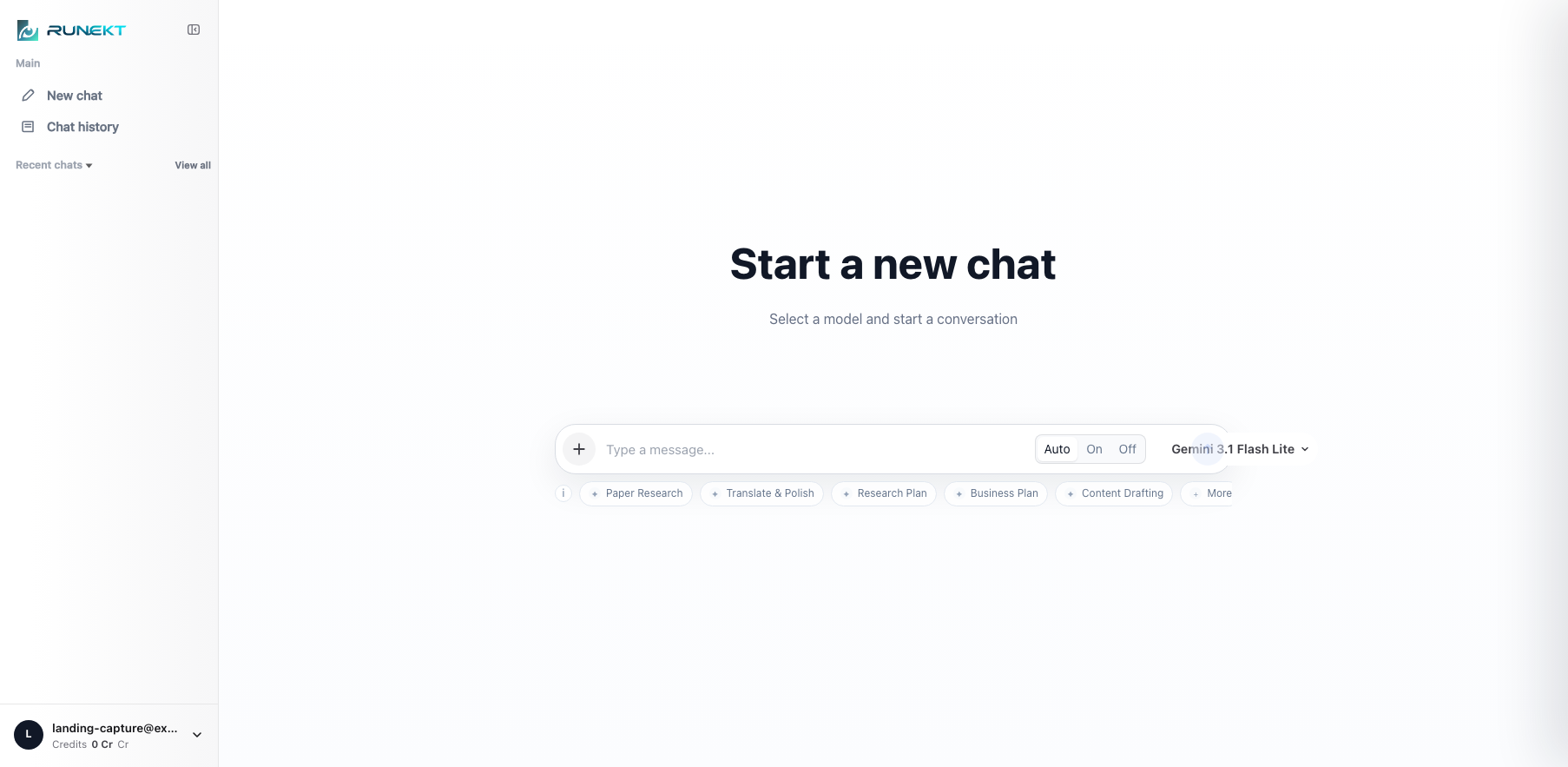
Open a new chat, choose the skill you need, attach materials, and send the request. Add the context your work needs step by step inside a familiar chat interface.
Choose common work types such as content writing, translation and polishing, research plans, and business plans.
Attach files from the input box to provide the context needed for the task.
Use chat history and pinned conversations to find previous work and continue it.
Highlights
RUNEKT goes beyond the answer screen, connecting the flow of setting the work goal, adding materials, and reviewing results.
Begin focused work quickly for content writing, translation and polishing, research plans, business plans, and similar tasks.
Turn common goals, conditions, and formats into presets so the conversation starts with the right intent.
For drafts or decisions that matter, review different perspectives together and choose the result that fits the work.
Attach PDF, TXT, MD, image, and code files to provide background for summarization, review, and analysis.
When responses include sources, use citations and the source panel for research and review.
Manage usage by checking balance, actual usage after responses, and limit states.
Workflow
Start with a general chat or choose a skill for content, translation, or document work.
Attach files and add background so draft, summary, and review requests become more specific.
Check evidence for sourced answers, review usage, and move into the next task.
Operations
Use credit balance to understand remaining capacity, then check actual usage after each response. Keep usage visible while work continues.
Check the remaining usable range from the account area.
After a request completes, review the credits actually deducted.
When credits are insufficient or policy limits apply, decide the next action clearly.
Use the separate status page when you need to check service availability.
Use cases
From short questions to document work, RUNEKT fits the flow of adding context and reviewing results.
Shape the direction of a draft and quickly refine tone and structure.
Turn source and translated text into clearer writing for the work context.
Summarize materials and prepare drafts while checking evidence when sources are provided.
Structure ideas and turn them into outlines and language that fit the purpose.
Clarity
When answers include sources, citations and the source panel help verify the evidence.
Conversation history and pinned chats help you return to previous work and continue follow-up tasks.
Credit balance, post-response usage, and status information help you understand usage conditions.
FAQ
For simple questions, start directly from a new chat. For focused work, choose a skill or preset first to set the direction.
Skills work well for tasks with a clear purpose and format, such as content writing, translation and polishing, research plans, and business plans.
You can attach PDF, text, Markdown, image, and code files. This is useful when summarization, review, or analysis needs additional context.
You can check remaining credits in the account area, and after a response finishes you can review the credits actually used.
An annual subscription is a prepayment for the annual service period. Unless stated otherwise, the full annual credit amount is not granted immediately and credits are provided monthly.
Start with skills, add materials, and check sources and usage on one screen.